Tilewright — autotiles, 9-slice frames and sheet export for Aseprite
A downloadable tool
Three tile-production tools that live under Edit > Tilewright in Aseprite 1.3.
Pixel artists keep redrawing the same 47 tiles, the same UI panel at five sizes and the same export settings. Tilewright does the mechanical part and keeps every pixel you drew.
1. Autotile Generator
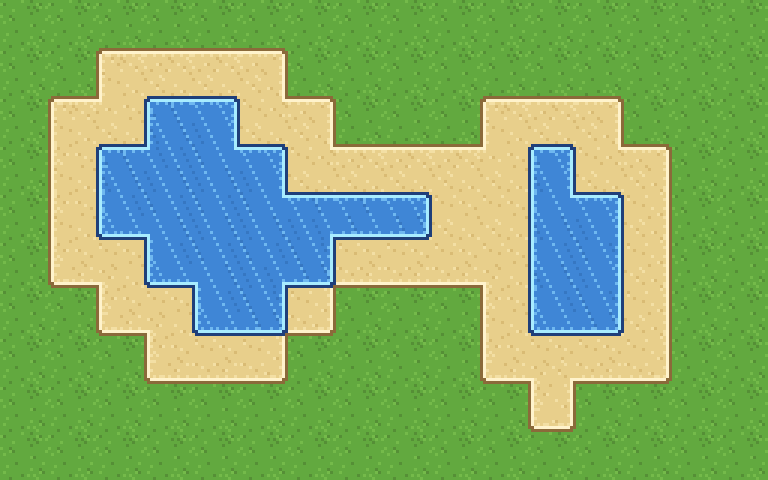
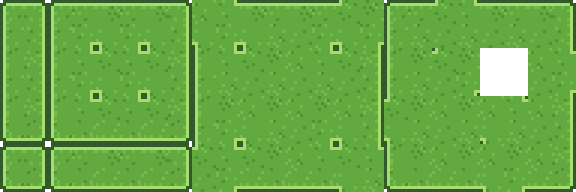
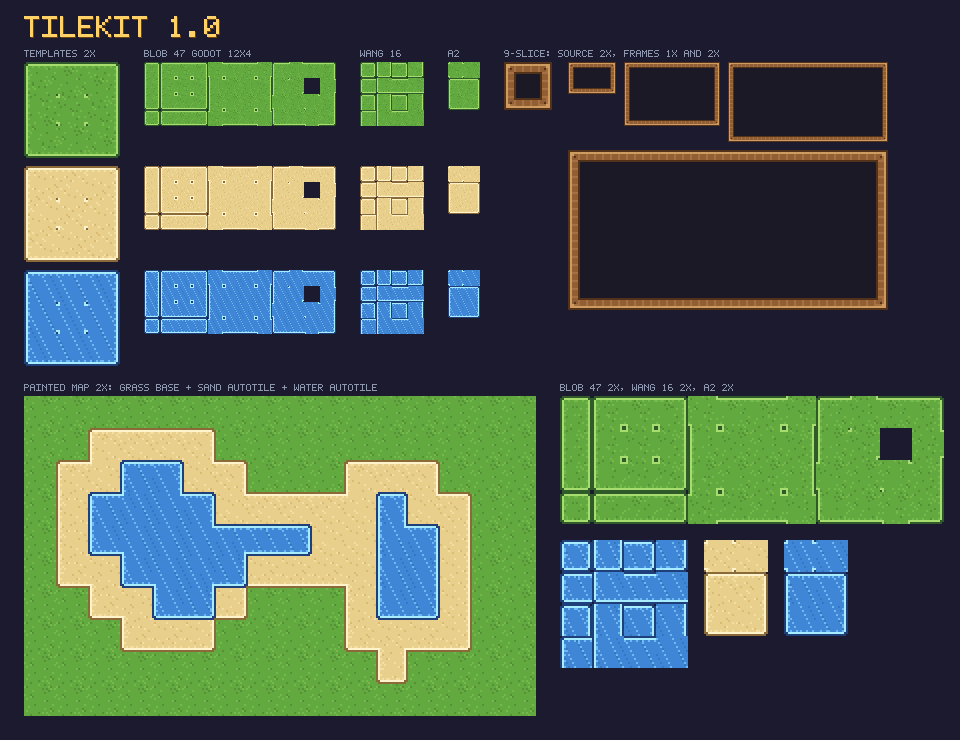
Draw one 3x3-tile template (48x48 px for 16 px tiles): the ring is the corners and edges of a solid block, the centre holds the four inner corners. Tilewright composes the full set from quadrants of your template - no rotating, no mirroring, so your light direction stays put.
- Blob 47 - every tile an 8-neighbour terrain needs, in the Godot 3x3-minimal (12x4) layout or a bitmask-sorted 8x6 grid.
- Wang 16 - the 4-bit edge set (4x4).
- RPG Maker A2 block - 2x3 tiles, ready for MV/MZ.
- Accepts RPG Maker A2 blocks as input too, so existing autotiles become full 47-tile sets.
- Output to a new sprite or a new layer (one undo step). Works in RGB, grayscale and indexed.
2. 9-Slice Frame Generator
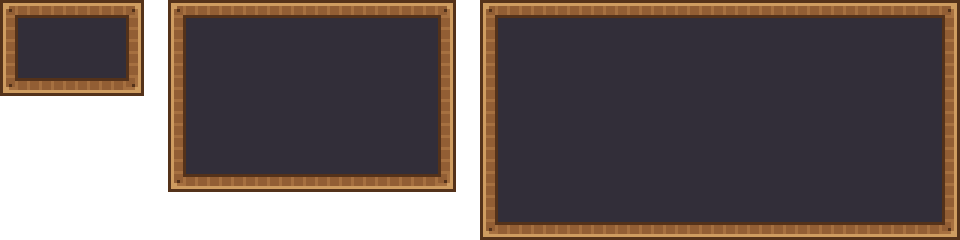
Pick a source panel (or a Slice with a 9-patch centre), type the sizes - 32x32, 64x48, 96x96 - and get them all: corners kept, edges and centre tiled or stretched (nearest neighbour). One frame per size, tagged, or a sheet with a 9-slice Slice per panel.
3. Batch Sheet Export
The current sprite, or a whole folder of .aseprite files, becomes:
- PNG sheets at 1x, 2x and 3x (nearest neighbour, never trimmed - every cell is the sprite size);
- Tiled
.tsxwith the tile size, an<animation>per tag, and terrain (Wang) data for Tilewright autotile sheets - add the tileset in Tiled and paint with the terrain brush; manifest.json: sheets, frame rects, durations, animations (direction, repeat), pivot;- RPG Maker MZ A2 / A4 sheets (768x576 / 768x720) for 16, 24 or 48 px terrains, several terrains packed onto one sheet from a folder.
Headless for CI: aseprite -b --script-param in=sprites --script-param out=build --script tilewright-export.lua. Non-zero exit codes on errors, strict=1 to fail on warnings.
What you get
tilewright-1.1.1.aseprite-extension- install by double-clicking or via Edit > Preferences > Extensions.- README with the template conventions, the layouts and the CLI reference.
- Free 1.x updates. Unlimited personal and commercial use; the extension itself may not be redistributed.
Requirements
Aseprite 1.3.x (tested on 1.3.18) on macOS, Windows or Linux. Not an Igara Studio product.
First run: Aseprite shows its script security dialog once per Tilewright module when it first writes files; tick Give full trust to this script and allow write access, and it never asks again.
Roadmap (1.x, free)
- Aseprite-native output: tilesets + tilemap layers instead of flat sheets.
- Godot 4
TileSetresource export with terrain peering bits. - Multi-terrain templates (two terrains in one template, transition sets).
- Spacing / extrusion options for engines that bleed at tile edges.
- Animated autotiles (water) from multi-frame templates.
Send bugs with your Aseprite version and the sprite that misbehaves; fixes ship as free updates.
Disclosure: the extension's Lua code was written with the help of a large language model and then tested in Aseprite 1.3.18. Every image on this page was drawn by the extension itself; no generated images.
Purchase
In order to download this tool you must purchase it at or above the minimum price of $5.99 USD. You will get access to the following files:
Download demo
Development log
Leave a comment
Log in with itch.io to leave a comment.